What Happened: Google Admin Expands Protection for Agencies
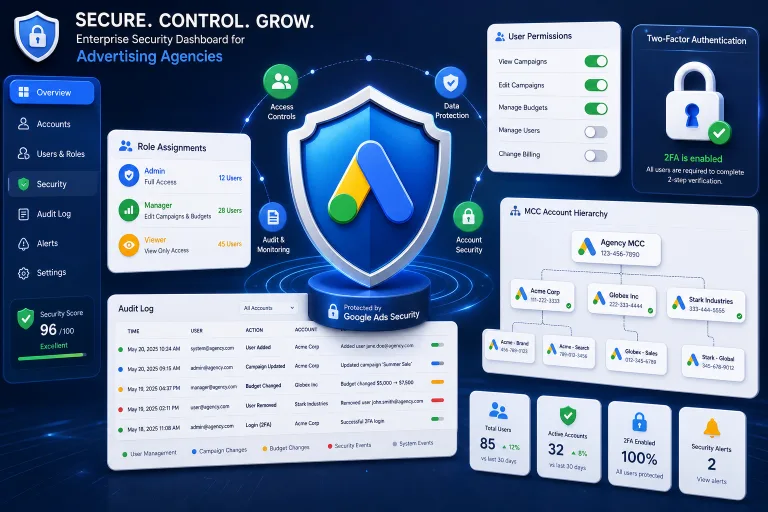
Google has updated its administration features in Google Admin, enhancing security for agencies and teams managing client Google Ads accounts. This involves new access control tools, additional verification layers, and improved mechanisms for protecting against unauthorized actions within MCC structures.
For media buyers and arbitrage teams, this means rethinking how workflows are organized: who gets access to which accounts, what actions are logged, and how quickly you can respond to suspicious activity. If you manage dozens or hundreds of accounts through manager accounts, these changes directly affect your daily routine.
Why Google is Strengthening Agency Protections
Google Ads is a platform through which billions of dollars in ad budgets pass daily. Agency accounts (MCC — My Client Center, now Manager Accounts) consolidate access to multiple client accounts under one roof, making them an attractive target for malicious actors and a risk point for employee errors.
The main reasons for tightening security:
- Rising incidents of account hijacking — phishing, social engineering, credential leaks
- Regulatory pressure — requirements for protecting client data across different jurisdictions
- Complexity of agency structures — large agencies with hundreds of contractors and freelancers
- Google’s reputational risks — every hijacked account undermines trust in the platform
Google Admin now offers more granular control: you can assign roles with specific permissions, track actions for each user, and quickly revoke access without needing to change passwords or recreate accounts.
What Exactly is Changing: Key Updates
Granular Roles and Permissions
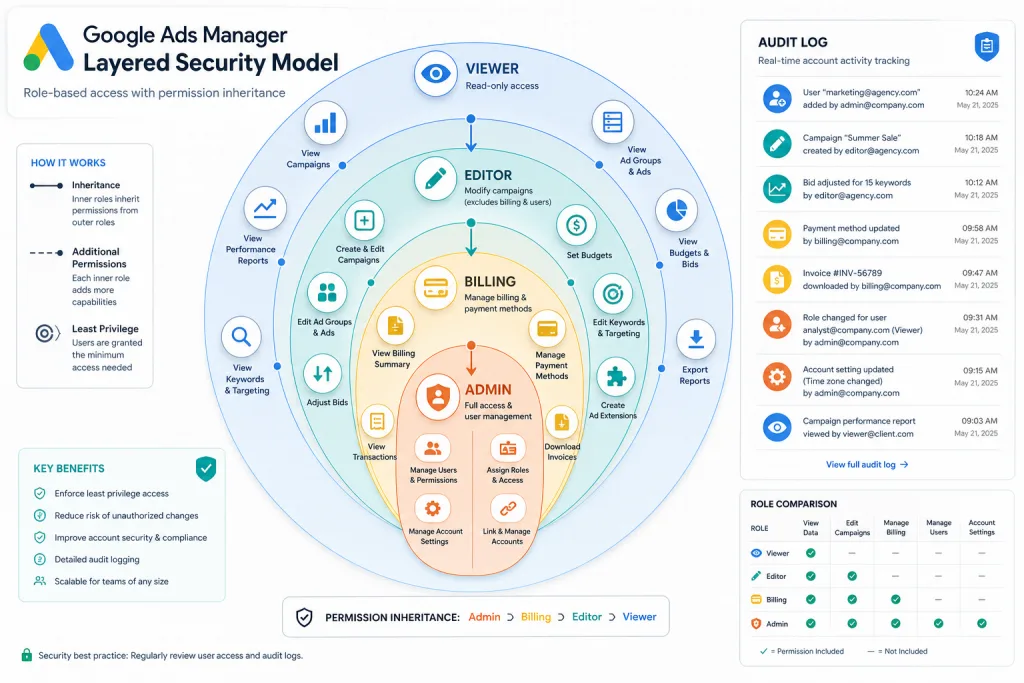
Previously, access in a Manager Account was relatively binary: admin, standard access, read-only. The new system approaches an IAM (Identity and Access Management) model, where each role is a set of specific permissions.
For example, you can give a buyer access to create campaigns and ad groups, but prohibit changing billing details or adding new users. For arbitrage teams, where one person might handle campaigns and another billing, this is critical.
Action Audit Log
Google Admin now provides an extended action log: who, when, and what change was made in the account. This includes:
- Changes to bids and budgets
- Creation and deletion of campaigns
- Changes to targeting settings
- Adding and removing users
- Changing payment methods
For agencies accountable to clients for every dollar spent, such a log is a tool for both protection and reporting.
Organization-Level Two-Factor Authentication
Google Admin allows administrators to require 2FA for all users in the organization, not just individual accounts. This closes the loophole where one employee without 2FA became an entry point into the entire structure.
How This Affects Arbitrage Teams
Traffic arbitrage is a specific segment of media buying where teams often work with a large number of accounts, use proxies, anti-detect browsers, and complex access distribution schemes. The new Google Admin rules affect several key aspects of the workflow.
Contractor Access Management
Arbitrage often involves freelancers: creatives, targetologists, analysts. Previously, they were given full account access or asked for a password — now Google Admin allows issuing temporary, restricted access with automatic revocation.
Practical scenario: you hire a freelancer to set up campaigns in a new GEO. You give them a role with permission to edit campaigns, but without access to billing or adding users. After a week, the access automatically expires. If an extension is needed, you renew it manually.
Ban Risks and Action Traces
The extended audit log is a double-edged sword. On one hand, it helps understand what went wrong if an account gets banned. On the other, Google now sees more details about actions within the account, which can be used for automated checks.
For arbitrage specialists, this means:
- Every mass bid change is logged and can trigger algorithms
- Creating dozens of campaigns in a short time leaves a trace
- Changing payment methods is now more transparent to Google
- Transferring access between users is recorded
Role Separation in the Team
The new role system encourages the separation of duties, which can be both useful and inconvenient for arbitrage teams:
- Buyer — creating and setting up campaigns, working with bids
- Analyst — read-only access, exporting reports
- Financial Manager — billing, invoices, payment methods
- Administrator — managing users and security settings
In small teams, one person might combine roles, but Google Admin now explicitly records under which role each action was performed.
Practical Steps: How to Prepare
Audit Current Access
The first thing to do is conduct a full audit of who has access to your Manager Accounts. Often, user lists retain former employees, freelancers with completed projects, and test accounts.
Check:
- The list of all users with MCC access
- The permission level of each user
- The date of the last activity for each user
- Whether each user has 2FA enabled
Configure Roles Based on the Principle of Least Privilege
Review the permissions of each team member. The principle is simple: a person should only have access to the functions necessary for their work. If a buyer doesn’t need to change the payment method, disable that right. If an analyst only needs read-only access, don’t grant editing rights.
Enable Mandatory 2FA
If you haven’t yet enabled two-factor authentication at the organization level, do it immediately. Google Admin now allows requiring 2FA for everyone, and it’s one of the most effective ways to protect against account hijacking.
Regular Review of the Audit Log
Implement a practice of weekly or monthly reviews of the action log. Pay attention to:
- Atypical bid changes (sudden increases or decreases)
- Campaign creation outside of working hours
- Changes in targeting settings that were not agreed upon
- Adding new users
Impact on Different Account Types
White Agencies
For legitimate agencies, the Google Admin updates are a pure plus. Granular control, audit logs, and mandatory 2FA increase client trust and reduce risks. Clients increasingly demand proof of security, and now agencies have the tools for it.
Arbitrage Teams
For arbitrage specialists, the situation is more complex. On one hand, security is good. On the other, increased transparency of actions means Google gets more data on exactly how accounts are managed. This can be a problem for teams using aggressive strategies: mass cloning of campaigns, frequent creative changes, working with grey offers.
Freelancers and Contractors
Freelancers working with multiple clients now get clearer boundaries: their access is limited to specific functions and can be revoked at any moment. This professionalizes the market but requires freelancers to adapt to the new rules.
Comparison with the Previous System
| Aspect | Old System | New Google Admin |
|---|---|---|
| Roles | 3-4 basic levels | Flexible roles with specific permissions |
| Log | Basic logs | Extended audit for every action |
| 2FA | Account level | Organization level |
| Access revocation | Manual, slow | Fast, scheduled automatic |
| Temporary access | Not supported | Built-in feature |
Risks and Pitfalls
Despite the obvious advantages, the new features carry risks worth knowing about.
False Sense of Security
Enabling 2FA and granular roles is not a panacea. Social engineering, phishing, and supply chain attacks still work. The team needs cybersecurity training, not just technical settings.
Management Complexity
For small teams of 2-3 people, the new role system might be overkill. Setting up granular permissions takes time, and with few people, it’s easier to give everyone full access. However, Google may gradually require compliance with the new security standards, and it’s better to prepare in advance.
Compatibility with Third-Party Tools
Many arbitrage teams use third-party tools for campaign management: bid managers, trackers, automation platforms. Not all of them work correctly with the new Google Admin roles. Before updating permissions, check that your tools will continue to function.
Checklist: Preparing for the New Google Admin Rules
- Conduct a full audit of users in each Manager Account and remove inactive ones
- Set up roles based on the principle of least privilege for each team member
- Enable mandatory two-factor authentication at the organization level
- Implement a weekly review of the action audit log
- Check the compatibility of third-party tools with the new access roles
- Create an access revocation protocol for departing employees and freelancers
What to Expect Next
Google will continue to strengthen the security of agency accounts — this is part of a broader strategy. Expected directions for development:
- Integration with SSO systems — single sign-on via corporate identity providers
- Automatic anomaly detection — Google will alert about atypical actions in real time
- Extended reporting for clients — clients will be able to see who did what in their account
- Standardization for partners — security requirements will become part of the Google Partners certification
For media buyers, this means that account security is no longer a “later” issue and becomes part of the daily workflow. Teams that adapt earlier will gain an advantage: fewer bans, more trust from clients and partners, and more predictable work with Google Ads.
FAQ
Are the new Google Admin features mandatory for all agencies?
Some features, like the extended audit log, are available to all Manager Account users. Mandatory organization-level 2FA is enabled manually by the admin, but Google may make it mandatory for partner accounts in the future.
Will the new rules affect the frequency of account bans in arbitrage?
There is no direct link, but the extended audit log gives Google more data about actions in the account. If your strategy includes mass changes or atypical behavior patterns, this may attract additional attention from algorithms.
Is it possible to continue working with freelancers without granular roles?
Technically yes, but it increases risks. Giving a freelancer full access means they can change billing details, add users, or delete campaigns. Granular roles protect both you and the client.
What to do if a third-party bid manager stopped working after updating roles?
Check what permissions your tool requires — most likely, it needs “standard” or “admin” level access. Create a separate service role with the necessary permissions or contact the tool developer for an update.
How long is the audit log stored in Google Admin?
Google stores action log data for an extended period — usually up to 18 months for most events. Exact timeframes depend on the type of action and subscription level. It is recommended to regularly export critical logs to your own storage.